
Keypad Locks: What to Check Before You Choose One

LOCKS & KEYLESS ENTRY
Keypad locks: what to check before you choose one
A keypad can make everyday entry more convenient. The best starting point is your door, your routine, and the exact features of the lock you are considering.
Speak directly with a local locksmith. Call for availability and an estimate.
By Unlock Charleston · Charleston, SC
A keypad is not automatically a connected smart lock
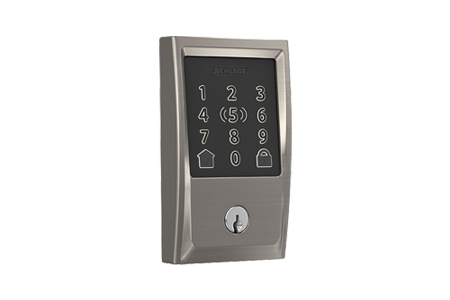
Some electronic locks let you enter a code at the door. Other models also offer an app, a hub connection, or remote features. Those are different capabilities. Decide whether you need simple code entry or remote management, then check the manufacturer’s specifications for the exact model. Do not assume every touchscreen lock includes Wi-Fi or an app.
Start with the door and existing hardware
Before buying, note the door thickness, the current deadbolt, and any unusual trim or clearance. Photos of both sides of the door can help with the initial conversation. A lock that looks right online still needs to fit and operate properly on the actual door. Ask about installation requirements before ordering.
Plan for daily access and backup entry
Who needs a code? Do you want separate codes for different people? Is there a physical key, and where will you keep the backup? The right answers depend on your household. Check the model’s manual for code limits and backup options rather than assuming all keypad locks work the same way.
Understand batteries and alerts for that model
Read the manufacturer’s guide for the recommended battery type, low-battery warnings, and replacement process. Different products can have different requirements. Keep the correct manual available and respond to warnings before the lock stops operating. Avoid treating advice for another model as interchangeable with yours.
Think beyond the first code
If you are taking over a property with an existing electronic lock, work through the model’s instructions for managing old codes and any connected account. If it also has a key cylinder, ask whether the physical key should be rekeyed. Code management, app access, and mechanical key access are related but distinct tasks.
Ask about the complete installation
A useful quote covers the hardware you are using, the installation work, and any door or lock adjustments that may be needed. Tell the locksmith whether you already own the lock and provide the brand and model. Keep the packaging and product instructions until you know everything is correct.
Your quick checklist
- Door and existing-lock photos
- Brand and exact model, if selected
- Code-only or connected features you need
- Backup access, batteries, and installation questions
Considering a keypad lock in Charleston? Text Unlock Charleston your door photos and the model you have in mind, or call to discuss installation.
See our residential locksmith services →Model-specific reference: Kwikset SmartCode 915 programming and troubleshooting guide. Other models may work differently.
Have a question about your own lock?
Considering a keypad lock in Charleston? Text Unlock Charleston your door photos and the model you have in mind, or call to discuss installation.